
Hooked, Tricked, and Clicked: The Dark Patterns of Online Shopping


A Quick Challenge: Would You Fall for It?
Looks like you really got a great deal!
The blue one is calling...
Hurry! (But are we really running out?)
You’ve Probably Encountered Almost Each Of These Before!
Guess what? These are all examples of Dark Patterns—let's dive deeper into how they work!
Dark patterns are deceptive design tricks used in apps, websites, or digital products to manipulate users into taking actions they might not have chosen otherwise. These patterns take advantage of human psychology to confuse, mislead, or pressure users—often for the company’s benefit rather than the user’s.
By leveraging cognitive biases and heuristic thinking, dark patterns subtly guide users toward decisions that benefit businesses at their expense. From hidden fees to misleading buttons, these manipulative tactics are widespread across various industries, impacting user trust and transparency.
For users, this means feeling tricked, frustrated, or even trapped in unwanted subscriptions and data-sharing agreements.
76%
of websites and apps use at least one dark pattern!
67%
of websites use more than one dark pattern!
How do these dark patterns exist throughout the market?
13.4%
of all dark patterns in the industry are found in Shopping, making it the 4th most affected sector.
Over 40%
of consumers reported experiencing unplanned financial consequences due to dark patterns in e-commerce!

Source - https://zenodo.org/records/3601501
The most commonly found dark patterns on Ecommerce websites
Low Stock Messages
Better act fast, or this deal might just run out on you!
These messages warn that only a few items are left, making users feel they need to buy immediately before they miss out.
Users rush to buy without realizing that the stock could be replenished or the claim might not be entirely accurate. This leads to impulse purchases, making users feel pressured rather than giving them time to make an informed decision.
Plays on FOMO and the idea that scarce things are more valuable.

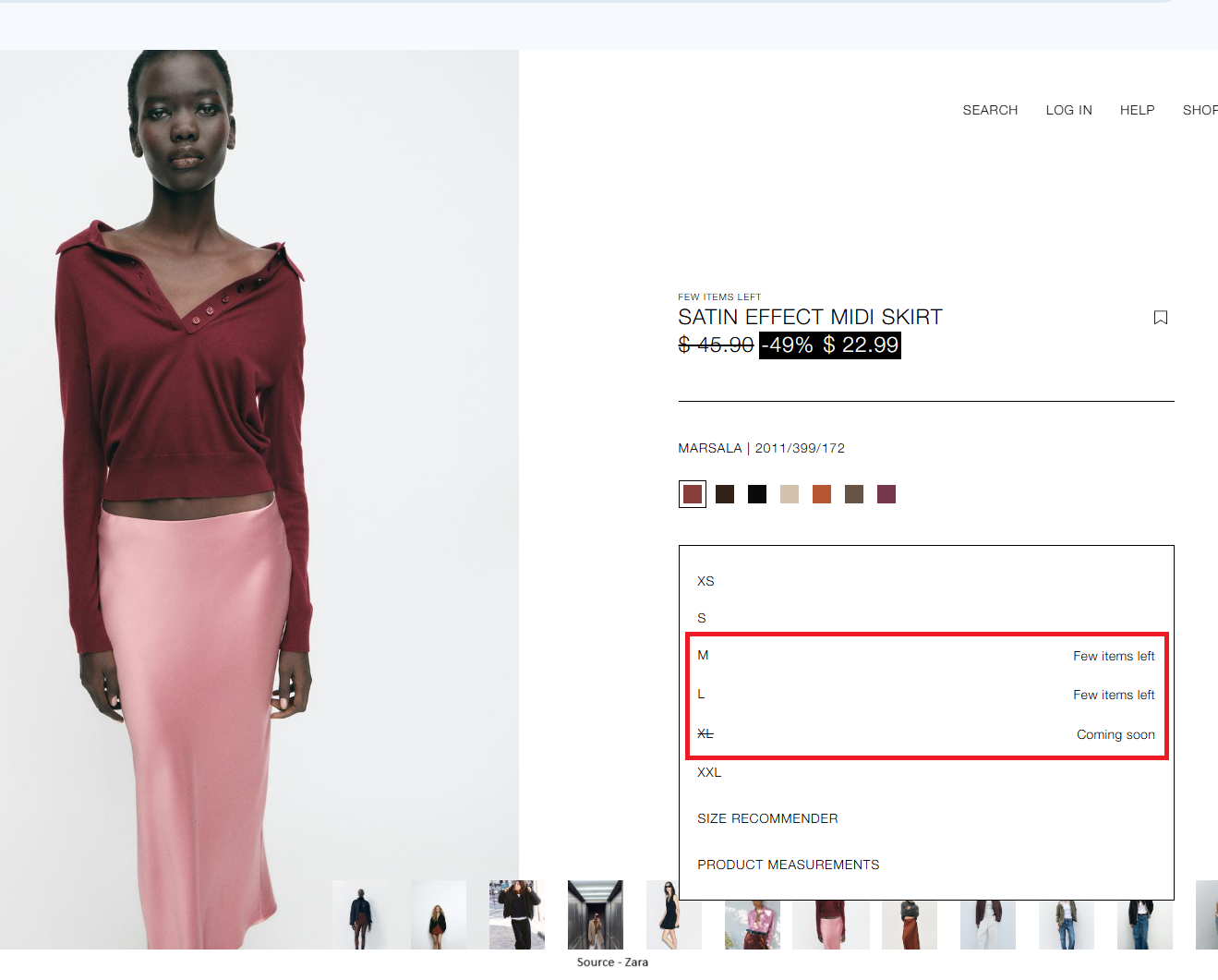
Source: www.zara.com

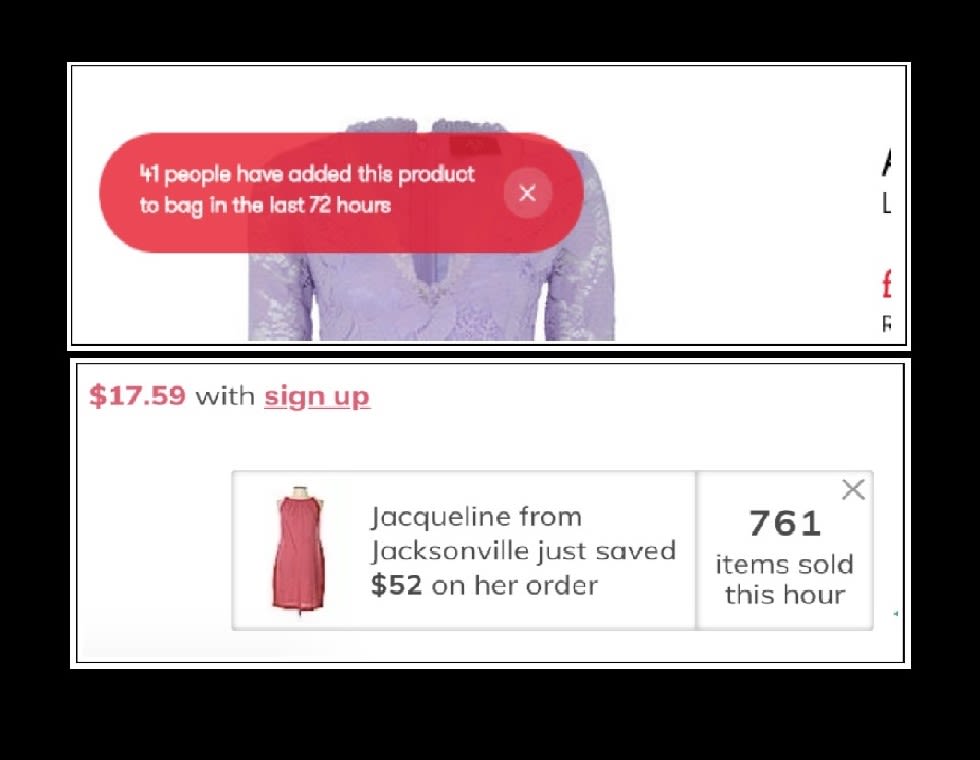
Source - https://dl.acm.org/doi/pdf/10.1145/3359183
Activity Notification
If everyone’s doing it, you might as well join the club!
Pop-ups show that others are buying or viewing an item, creating the feeling that if so many people want it, it must be good. This tactic leverages the bandwagon effect, where people are more likely to follow others' actions, assuming they’re making the right choice.
Seeing frequent notifications can create a sense of urgency, making users feel they need to act quickly before missing out. This can lead users to prioritize popularity over personal needs or careful decision-making.
Uses social pressure to make users feel like they should join in.
Limited Time Message
Hurry, this deal will end... someday!
Claims that a sale or deal is ending soon but doesn’t give a clear deadline, making users anxious about waiting too long.
The vague wording leaves users unsure of how much time they really have, pushing them to make a rushed decision. In reality, the deal might be ongoing or frequently renewed, making the urgency feel artificial.
Creates urgency so users feel they have to act now.

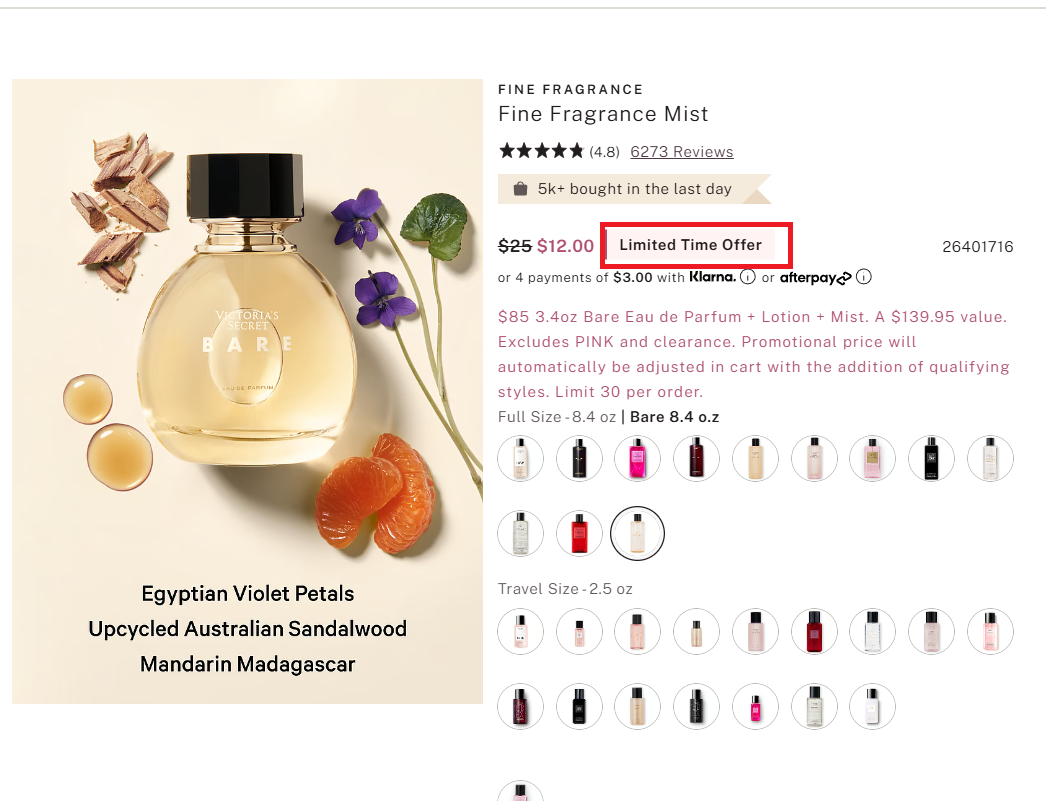
Source: www.victoriassecret.com

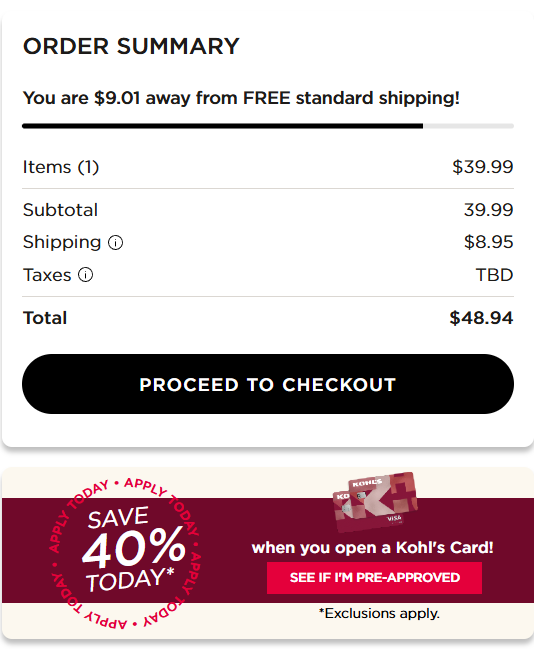
Source: www.kohls.com
Pressured Selling
Why settle for less when you can pay way more?
This tactic automatically selects expensive options or aggressively recommends add-ons, making users feel like upgrading is the smarter choice.
It often frames the higher-priced option as the "best value" or "most popular" to nudge users toward spending more. By subtly making cheaper choices less visible or less appealing, it steers users toward spending beyond their original intent.
Takes advantage of defaults and makes pricier options seem like the norm.
Confirmshaming
'No thanks, I hate saving money'—guess I'm just financially irresponsible then!
Uses guilt-tripping language to make users feel bad about their choice, like declining a discount or opting out of emails. This tactic pressures users into agreeing just to avoid feeling judged.
By framing the opt-out option negatively, it makes users feel like they’re making a mistake or missing out on something essential.
Plays on embarrassment—nobody wants to feel cheap or uncool!

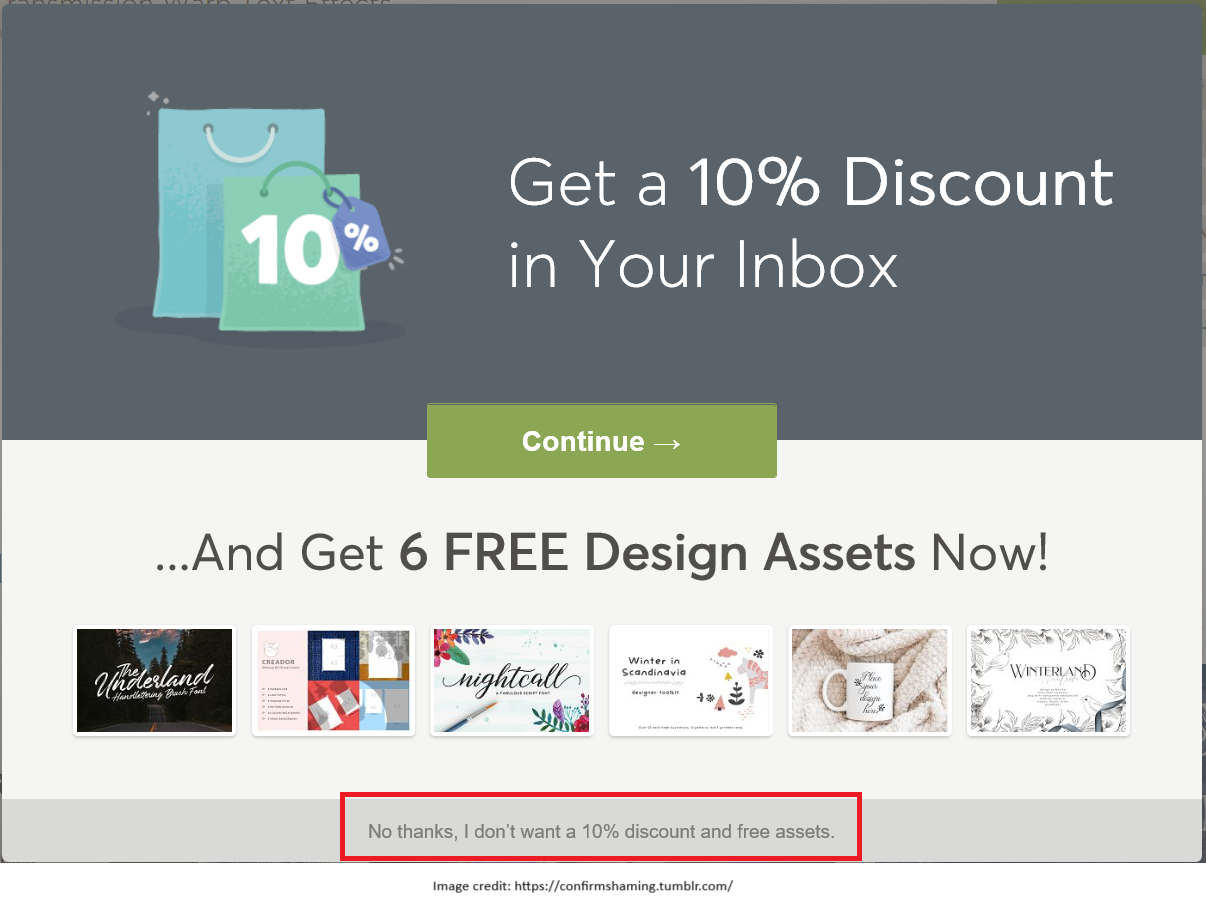
Source: www.tumblr.com

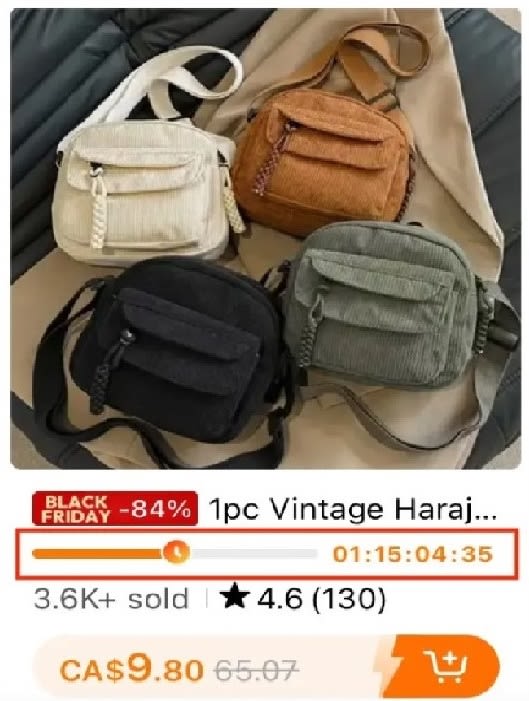
Source: www.temu.com
Countdown Timer
Time’s up! Just kidding... it’s always up!
A ticking clock pressures users to buy before time runs out, even though the timer often resets or the deal doesn’t actually expire.
This tactic discourages careful decision-making, pushing users toward impulse purchases instead of allowing them to compare options or think through their choices.
Exploits FOMO by making users believe they have limited time to act.
How are consumers affected by these patterns?
A survey by Dovetail captures alarming statistics about the impact of dark patterns on consumers.
63%
of customers had to actively 'deselect' supplementary products or services added automatically during checkout
62%
were intentionally guided towards more expensive products through design tactics like brightly-colored buttons
78%
of customers reported feeling a sense of urgency to buy when seeing "Low Stock" notifications
65%
of customers were rushed through an online transaction by notifications urging them to hurry due to limited supply


A total of 1,818 dark pattern instances were observed in e-commerce, highlighting the widespread use of manipulative design tactics.
Low-stock Messages were the most common, appearing nearly 700 times, leveraging scarcity to push users into hasty purchases. Countdown Timers followed with over 500 occurrences. Activity Notifications were also prevalent, using real or fabricated data to make products appear highly sought-after, nudging users to follow the crowd.
Beyond urgency tactics, Confirmshaming and Limited-time Messages followed, which make users feel guilty for opting out or uncertain about how long a deal would last.

Source - https://www.kaggle.com/datasets/rohitdnath/dark-pattern-dataset?resource=download&select=dark_pattern_classifications.csv
Prevention is better than cure!
Pause Before You Act!


Photo by Zan Lazarevic on Unsplash
Photo by Zan Lazarevic on Unsplash
Don't rush decisions, especially when faced with urgency triggers like countdown timers or low-stock messages
Read carefully


Photo by Emiliano Vittoriosi on Unsplash
Photo by Emiliano Vittoriosi on Unsplash
Watch for misleading language, pre-checked boxes, or confusing opt-in/opt-out options.
Use a Price Tracker

Photo by Artem Beliaikin on Unsplash
Photo by Artem Beliaikin on Unsplash
Websites may manipulate prices based on browsing behavior; tools like CamelCamelCamel (for Amazon) can help verify real discounts.
Use Privacy Controls
Photo by Georg Bommeli on Unsplash
Photo by Georg Bommeli on Unsplash
Regularly review cookie settings, permissions, and unsubscribe from unwanted services.
Use Browser Extensions

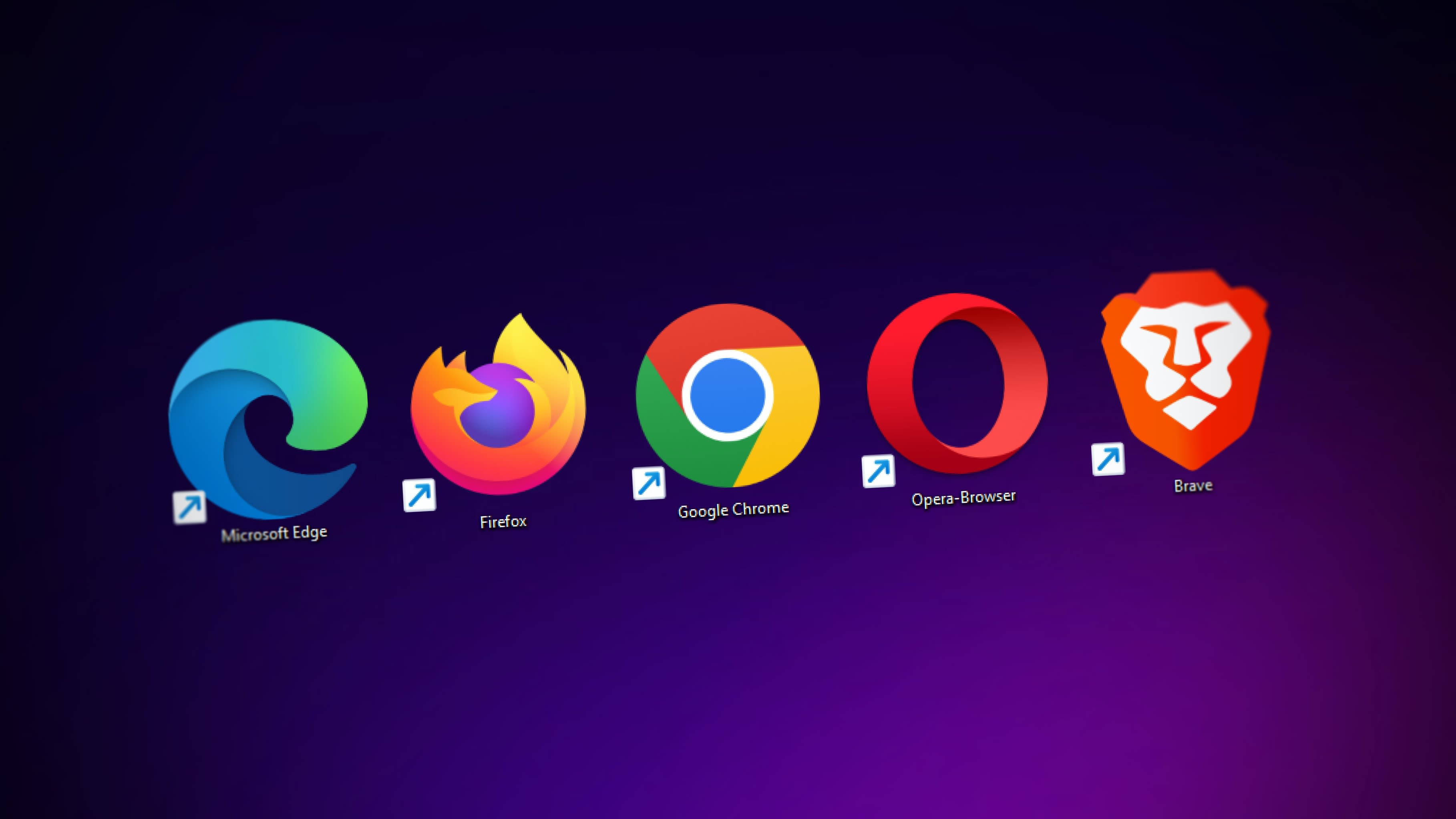
Photo by Denny Müller on Unsplash
Photo by Denny Müller on Unsplash
Tools like uBlock Origin or Privacy Badger help prevent tracking that personalizes manipulative tactics.
Research and Report


Photo by Mimi Thian on Unsplash
Photo by Mimi Thian on Unsplash
Stay informed about common dark patterns and report deceptive practices to consumer protection agencies.
You can also help reduce these sneaky tactics by sharing any dark patterns you've spotted while browsing! If you've come across a misleading timer, a guilt-tripping popup, or a suspicious "only 1 left!" message, report it on the below website!
 Built with Shorthand